Let chat build
your playlist.
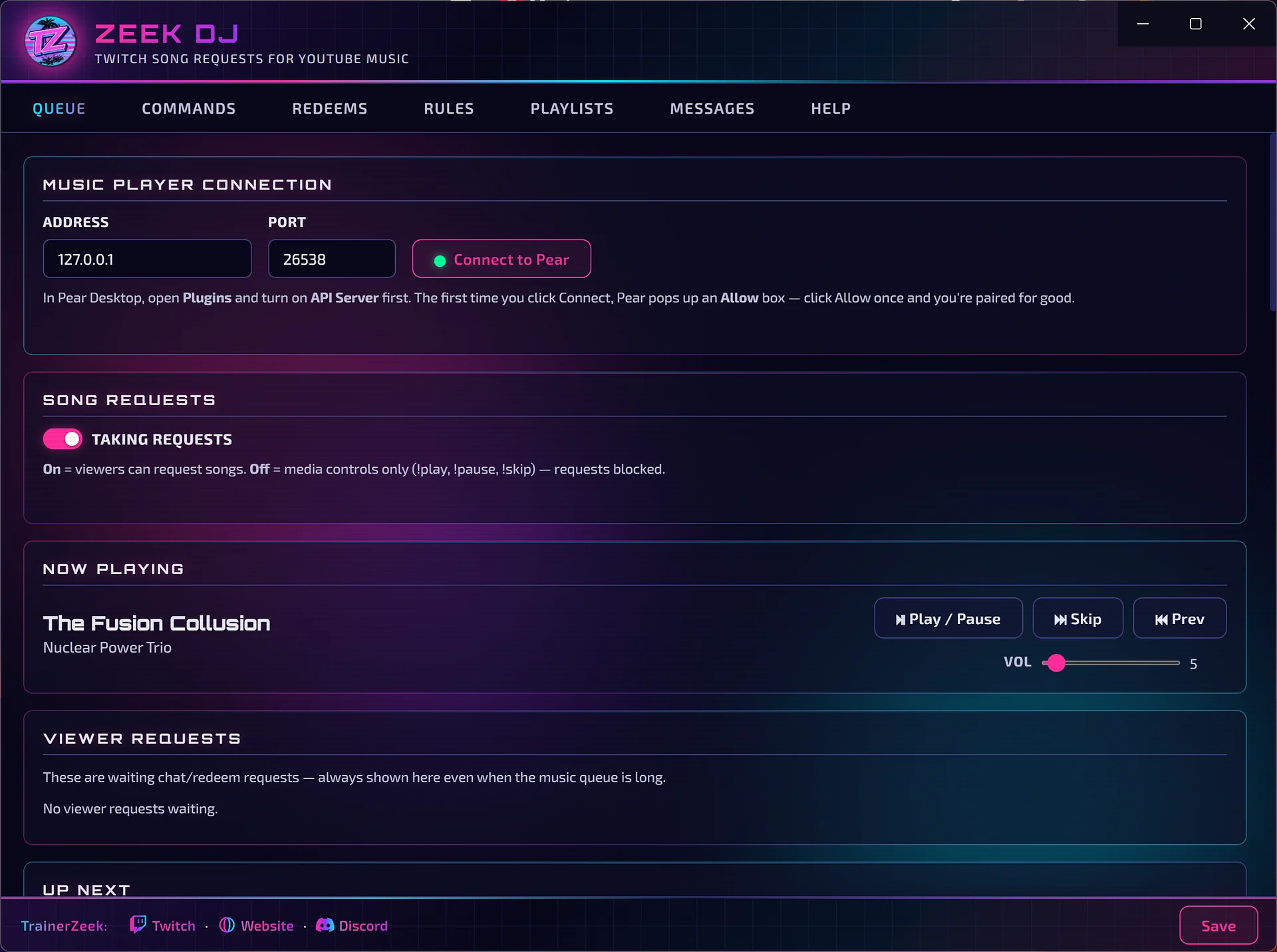
ZDJ connects your YouTube Music player to Twitch, so viewers can request songs with chat commands or channel point redeems. You choose who can do what, set the limits, and let your playlists keep the music going between requests.
Prefer to DJ it yourself? Turn requests off and use ZDJ purely as media controls, from the app or from chat.
Connect it in
a few clicks
ZDJ is a Zeek's App Manager (ZAM) integration that talks to Pear Desktop, a free, community-made YouTube Music player for Windows.
- Install Pear Desktop (on Windows, here's the direct download) and sign in to YouTube Music.
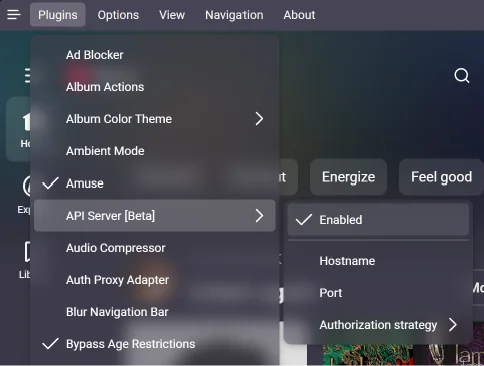
- In Pear, open Plugins and turn on API Server.
- In ZDJ, on the Queue tab, click Connect to Pear, then click Allow in the popup Pear shows. You only need to do this once.
- When you're ready for song requests, turn on Taking requests. Turn it off when you want to pick the music yourself.
- Optional: turn on Add songs from my playlists so the music keeps going between viewer requests.
Your chat,
your rules
Commands for everyone
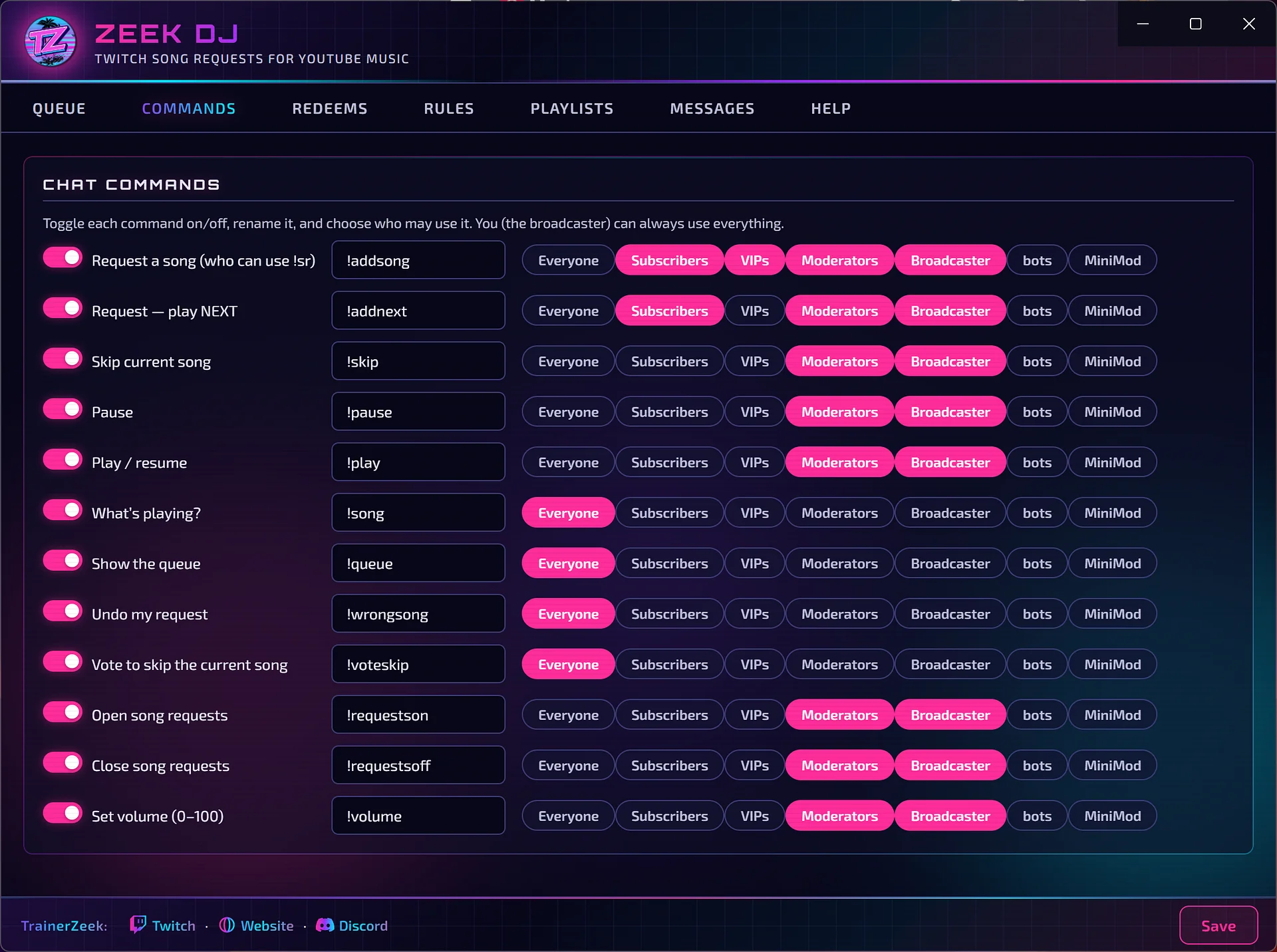
Every command can be switched on or off, renamed, and limited to the people you choose: everyone, subscribers, VIPs, mods, or custom user groups.
- Request a song —
!addsong, or!addnextto play it next - What's on —
!songfor the current track and!queuefor what's coming up - Oops —
!wrongsonglets a viewer undo their own request - Vote to skip —
!voteskip, with the number of votes you set
Controls for you and your mods
!skip,!pause,!playand!volumefor media controls!requestsonand!requestsoffto open and close requests mid-stream
Channel points
can pick the music
Song request redeems
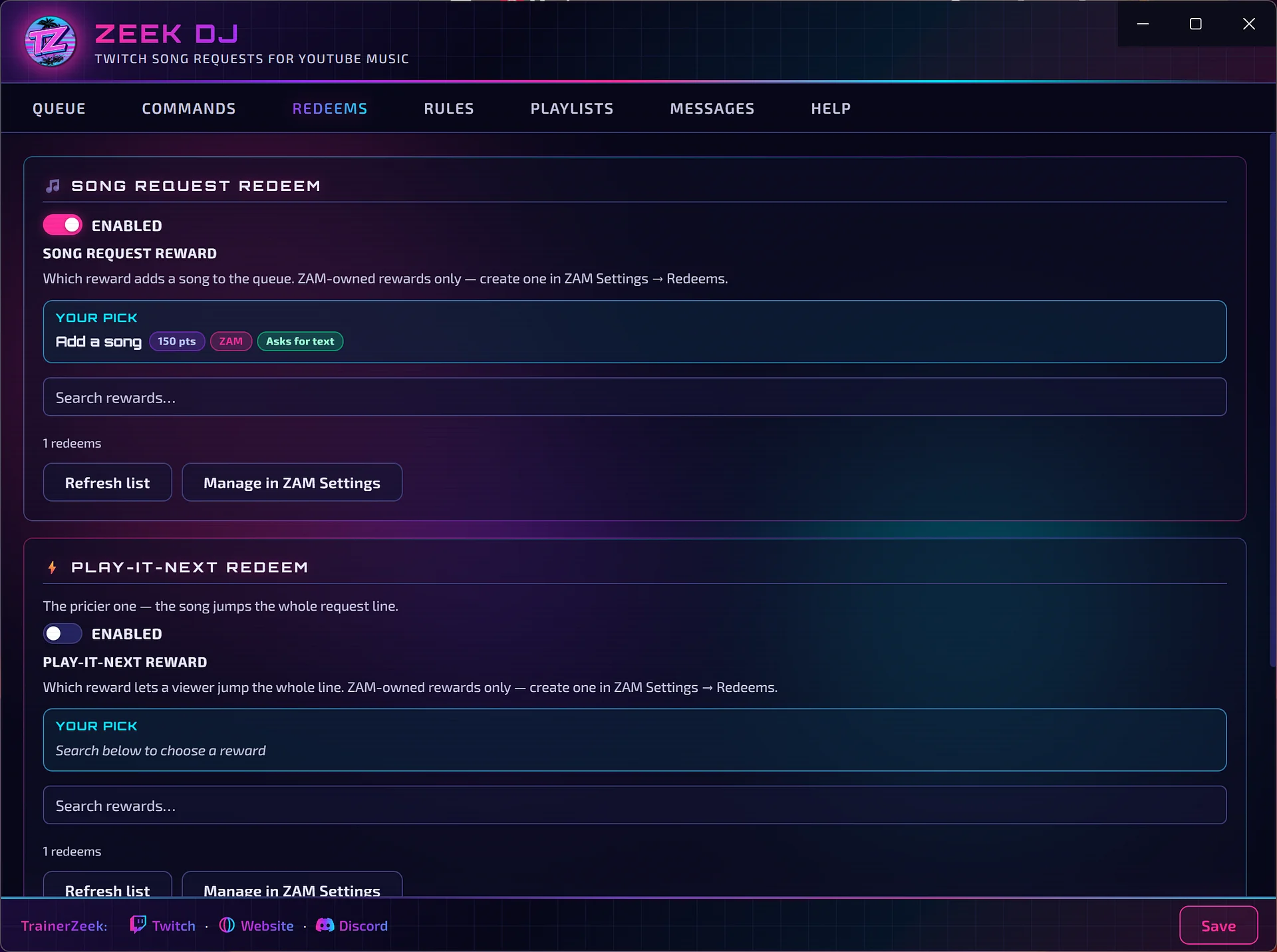
Pick a channel point reward that adds a song to the queue, and a pricier one that makes a song jump the whole line.
Rewards are created and managed through ZAM, and rejected redeems are refunded automatically, so viewers never lose points to a bad request.
Keep requests fair
- Max song length so nobody queues a 3-hour mix
- Waiting songs per viewer, a max queue size and a cooldown between requests
- Duplicate blocking for songs already queued or recently played
- Blocked songs and artists, one per line
Chat replies
ZDJ can reply in chat when a song is added or rejected, and even announce every song as it starts. Every message is editable.
Never dead air
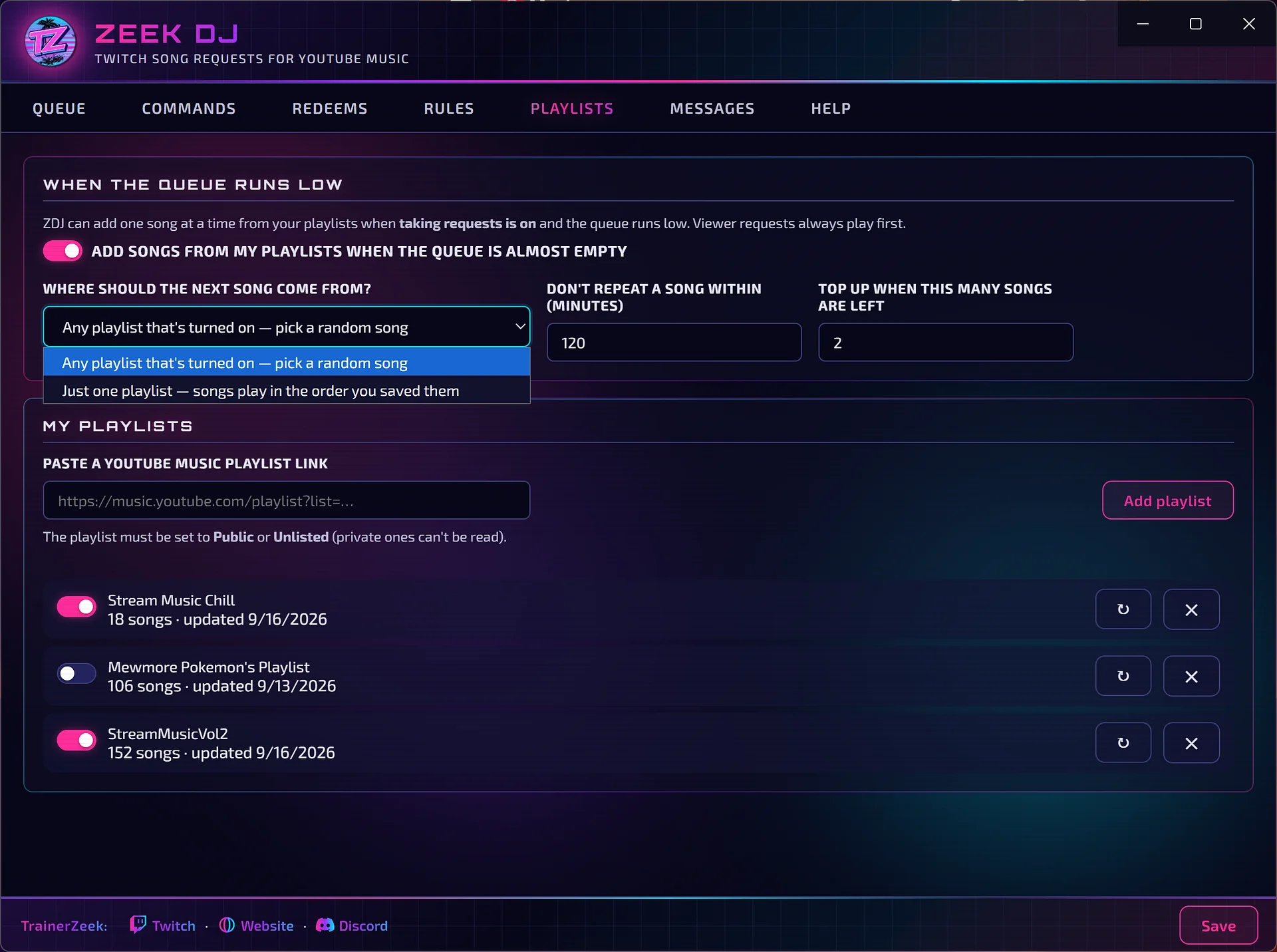
When the queue runs low, ZDJ adds songs from your own YouTube Music playlists. Viewer requests always play first.
- Add as many playlists as you like by pasting a public or unlisted YouTube Music link, and switch each one on or off.
- Random mode pulls from every enabled playlist. Single-playlist mode plays one playlist in the order you saved it.
- Top-up level — choose how many songs should be left before ZDJ adds another.
- Repeat protection — set how long before a song can come around again.
- Free. Pear is a free community app, so it felt weird to charge
- Windows PC, requires Pear Desktop
- Found a bug? Let Zeek know. Fixes usually ship in 1–2 days
No need to feel weird about downloading without donating. 💜